
01 / CLIENT PROFILES
Keep client context together
Organize contact details, notes, preferences, history, tags, and relationship memory in a client profile.
Bring client details, appointments, session context, follow-ups, and AI-assisted drafts into a workspace built for independent professionals. Spend less time searching for the detail you need next.
Designed first for iPhone. Get the iPhone app on the App Store. Mac and Windows availability is provided by request.
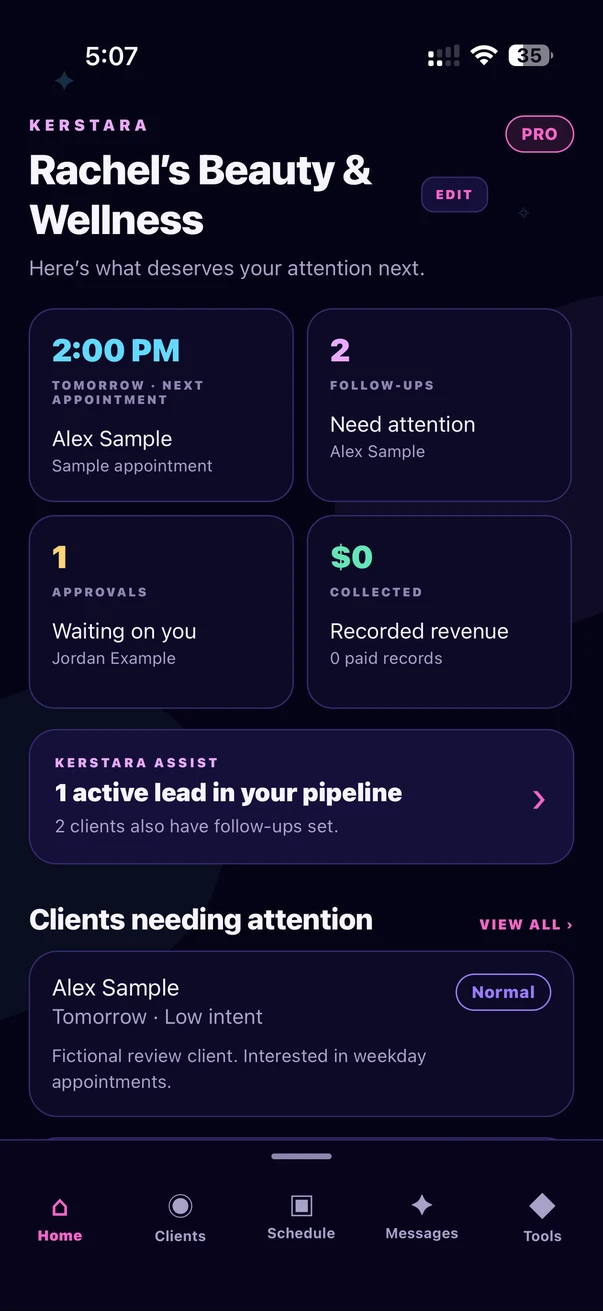
Your day, at a glance. Actual app screen with fictional sample data.
Real iPhone screens. Fictional sample clients.
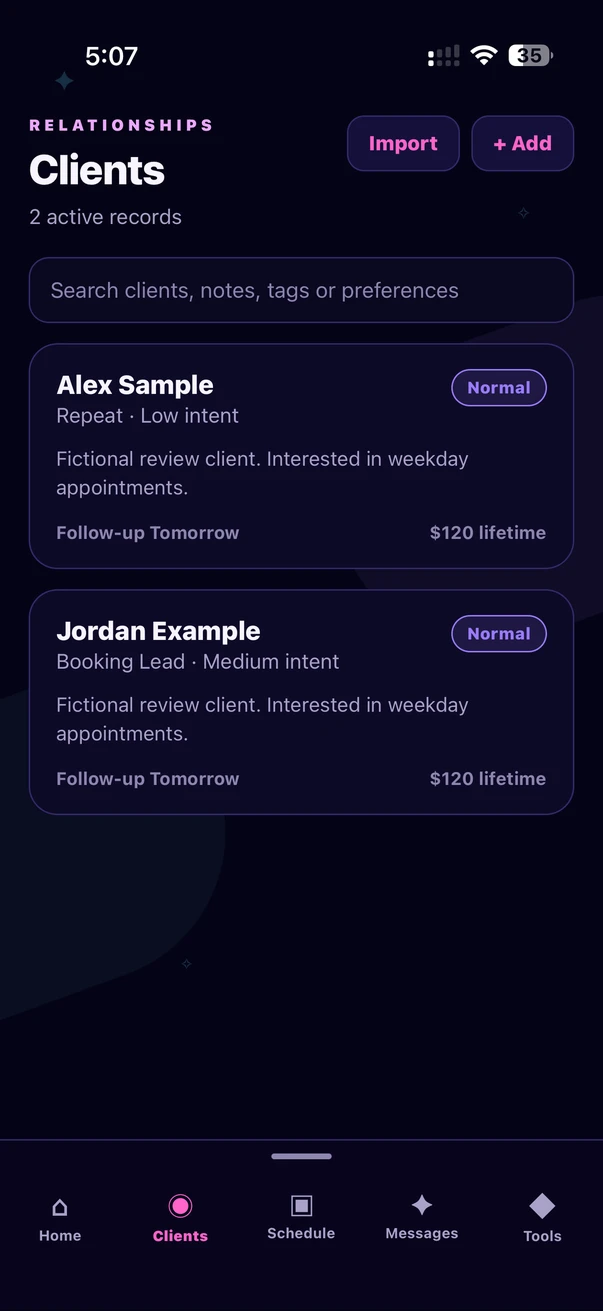
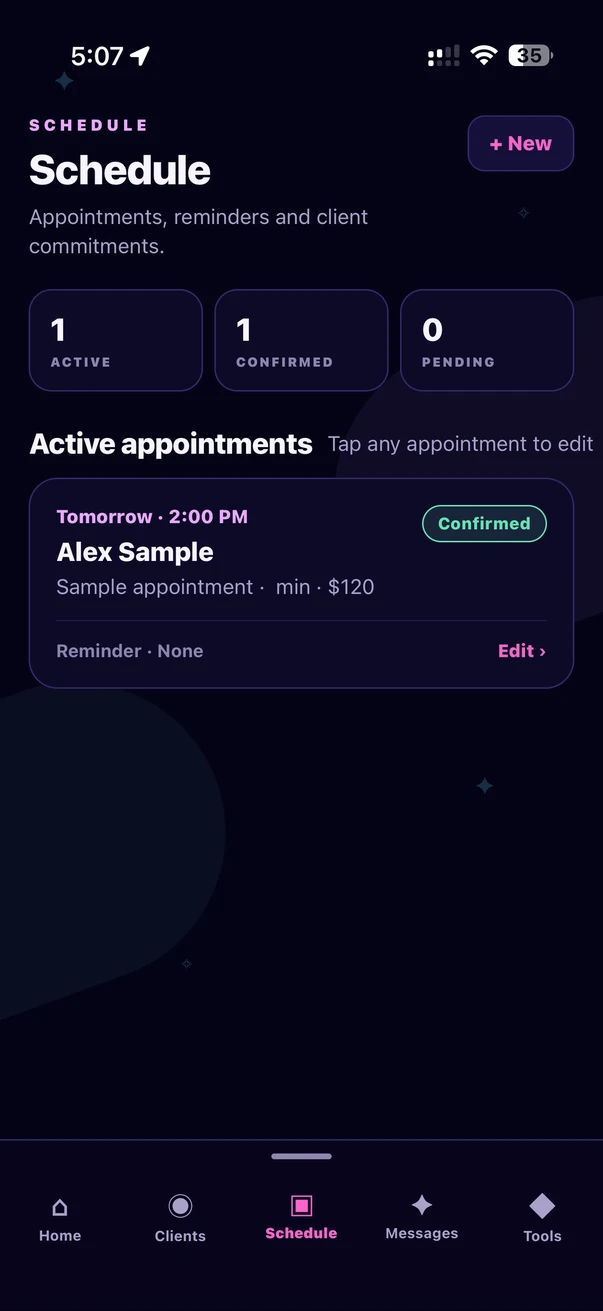
Know who needs your attention, what is scheduled next, and the context that helps each client relationship feel continuous.
Organize contact details, notes, preferences, history, tags, and relationship memory in a client profile.
Track booking intent, appointments, and follow-up dates so your next step is easier to see.
Keep service information, pricing, and practical business context close to everyday client work.
Kerstara Assist can help draft replies using relevant business information. Advanced client-aware assistance can use selected client context and approved relationship memory. You review every draft before sending or relying on it.
How AI-assisted communication worksDifferent practices share the same challenge: client information and next steps are easy to scatter. These guides show where a connected workspace can help.
Coordinate client preferences, appointments, session context, and follow-ups without turning your day into admin.
Explore massage therapist workflows →Understand privacy-conscious workflow options and the limits of software-only compliance claims.
Explore therapist workflows →Bring client relationships, services, and everyday business follow-through into one view.
Explore independent business tools →You choose what client information to add and when to use optional AI features. Client-aware assistance uses relevant context for the task you request, and you review every draft before using it.
Professional Care provides stricter privacy-conscious workflows for sensitive professional work. Kerstara does not claim that using the software by itself establishes regulatory or HIPAA compliance.
Read the Kerstara Privacy PolicyWalkthroughs for the work around every client relationship.
A practical Kerstara walkthrough: create client profiles, organize appointments, plan follow-ups and review AI-assisted drafts before using them.
Read the guideOrganize the work before, during and after client appointments with a repeatable session and follow-up checklist for independent service professionals.
Read the guideChoose relevant client information, review AI drafts, keep device access deliberate and handle support or deletion requests using Kerstara’s product guidance.
Read the guideThree levels built for different stages of client work.
Core client management for a better starting point.
A quieter space with premium workflow tools.
Advanced assistance for more background work.
Weekly, monthly and yearly Plus+ and Pro subscriptions are available. Review current prices and renewal terms in Apple’s purchase sheet before confirming.
The three-day Pro feature trial includes two Pro AI uses total. It is managed in Kerstara and is not a separate Apple subscription trial. Paid subscriptions renew unless cancelled through your Apple account.
Kerstara is built for independent professionals and small client-based practices that need one place for client profiles, appointments, follow-ups, service details, and relationship context.
Kerstara is designed first for iPhone. macOS and Windows availability is provided by request; contact Kerstara to ask about access for your device.
No. Kerstara Assist helps draft replies and other content. You review the result before sending it or relying on it.
No. Professional Care supports stricter privacy-conscious workflows, but software features alone do not establish HIPAA compliance. A professional remains responsible for applicable policies, agreements, device controls, staff practices, and legal requirements.
Kerstara is designed first for iPhone. Get Kerstara for iPhone on the App Store, or request availability for macOS or Windows.
Use the client follow-up checklist to turn a promise into a clear next action.
Kerstara Client Studio Pro · Latest release
Pick your device. A username and password are required to download.
Mac with Apple Silicon (M-series)Mac with an Intel processor